

3 min read

Rework rarely starts where it gets found out. A failed part shows up at the end of the line, but the cause often sits several steps earlier, in job information that was out of date, an inspection that came too late or time that was never labeled as rework. The right manufacturing software closes those gaps in three places: job release, inspection and shop floor reporting. Here is what each one of those situations looks like in the system and what it changes for your team.
1. Job Release: One Version of the Job for Everyone
A job can leave the office with a missing revision, an outdated routing step or a note that never reached the operator. The machinist builds the part as instructed and it still comes back wrong, with material and labor already in it.
In manufacturing ERP software, the bill of materials, routing and work instructions live in one job record, and the job released to the floor pulls from the current revision. When engineering updates a routing, the change lands in the same record the shop floor works from, so nobody is running a job from an old printout. Because one record feeds every department, an engineering change reaches the planner, the supervisor and the operator at the same time. A review at release becomes a check of one screen instead of a search through drawings, spreadsheets and email. Questions about the job go back to the same record, so answers are captured instead of shouted across the shop.
That single source removes one of the most common causes of redo work before the first part is cut.
2. Inspection Points Built Into the Routing
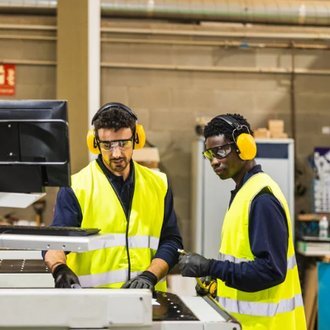
A defect found at final inspection has already travelled through every operation after the one that caused it, and each of those steps added labor to a part that now needs repair or remake. Quality control software in an ERP lets your team define inspection points inside the routing, record results as parts move and flag a failed check while the job is still at the workcenter.
A supervisor sees the problem when the first few parts are measured instead of learning about it at shipping. That matters most on repeat jobs and longer runs, where a single setup issue can affect a full lot. Because results are stored by part and operation, you also get a history to review. If the same feature fails on the same operation month after month, the data points to the setup, the tooling or the instruction and not to the operator.
A good first step is to pick one part family with frequent rework and compare where each defect was first recorded in the system with where it was actually created.
3. Rework Time and Scrap With a Reason Attached
Rework often disappears into the job it came from. An operator spends two hours correcting parts, the time is logged against the original operation and the job report looks normal.
Shop floor data collection lets employees report time, quantities and scrap as they work, and the system can ask for a reason whenever scrap or rework is reported. That reason shows whether the cause was material, setup, a design question or a failed inspection.
Because every shift picks from the same reason list, reports can compare jobs, workcenters and shifts on equal terms. Nobody has to wait for month end to learn that a job ran long. A supervisor can bring real examples to the weekly meeting instead of recollections, and the team can decide whether the fix belongs in the instructions, the setup or the inspection plan. The next round of reports then shows whether the change worked.
What to Look For in Your ERP Software
- Does the job record the operator sees always reflect the current revision, routing and instructions?
- Can you set inspection points at specific operations and record results as parts move?
- Is rework time tracked separately from the original operation?
- Are scrap and rework reasons chosen from the same list on every shift?
- Can you report on the jobs, parts and workcenters that show up most often in rework?
If you can answer yes to most of these, your system already has what it needs to point to the source of rework. Any no shows you where to start. Some plants will find the biggest gap in how jobs are released and others in how problems are recorded. Reports built from consistent shop floor data make either pattern easier to see, and they let you check whether a change actually reduced repeat work.
Rework will never disappear completely, but it does not have to stay hidden. When job information, inspection results and rework time live in the same manufacturing ERP software, your team can spend less effort finding the cause and more time preventing it.