

6 min read
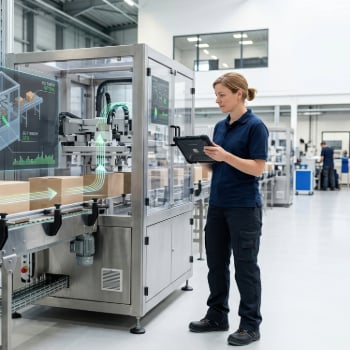
If you manage a manufacturing plant, you already know the daily battle: staying on top of production while putting out fires across the floor. The difference between plant managers who stay ahead and those constantly catching up often comes down to one thing – real-time visibility into what's actually happening on the shop floor.
That's where manufacturing dashboards come in. The right set of real-time displays puts the metrics you need at your fingertips, so you can spot problems before they snowball and keep production humming along.
This guide breaks down the 10 shop floor dashboards that plant managers at small to mid-sized manufacturers rely on most. Whether you're tracking OEE, monitoring work-in-progress or keeping tabs on on-time delivery, these dashboards help you make better decisions faster.
Why Real-Time Shop Floor Dashboards Matter
Paper reports and end-of-shift summaries worked fine when manufacturing moved slower. Today, that lag time costs you money. By the time you learn about a machine going down or a job running behind, the damage is already done.
Real-time dashboards flip that script. Instead of reacting to problems after they happen, you see issues developing and can intervene while there's still time to course-correct. According to research on manufacturing best practices, measuring key metrics like Overall Equipment Effectiveness (OEE) is considered the gold standard for improving productivity.
For plant managers at growing manufacturers, dashboards solve another problem too: you can't be everywhere at once. A well-designed dashboard lets you monitor multiple areas, lines, or even facilities from a single screen—no more walking the floor just to gather information.
10 Essential Dashboards Every Plant Manager Needs
1. OEE Monitoring Dashboard
OEE combines availability, performance and quality into one percentage that tells you how effectively your equipment is running. An OEE dashboard shows this metric in real time for each machine or production line, along with the underlying factors driving the number.
What to track:
- Current OEE percentage by machine or line
- Availability score (uptime vs. scheduled production time)
- Performance rate (actual output vs. theoretical maximum)
- Quality rate (good parts vs. total parts produced)
- Trend data comparing current shift to historical averages
With Global Shop Solutions' Key Performance Indicators software, plant managers can drill down from a high-level OEE view into the specific losses affecting each factor – whether that's changeover time dragging down availability or minor stops hurting performance.
2. Work-in-Progress (WIP) Dashboard
WIP inventory ties up cash and floor space while creating confusion about what's actually ready for the next operation. A WIP dashboard shows you exactly where jobs stand at any moment.
What to track:
- Jobs currently at each workcenter
- Time spent at each stage vs. planned
- Bottleneck identification (where jobs are stacking up)
- WIP value by department or product line
- Jobs approaching late status
When you can see WIP building up at a particular operation, you can reassign resources or adjust schedules before downstream operations start waiting on parts.
3. Downtime Tracking Dashboard
Unplanned downtime is the enemy of on-time delivery. A downtime dashboard shows you which machines are down, why and for how long – giving you the information you need to prioritize maintenance responses and identify recurring issues.
What to track:
- Current machine status (running, down, idle, setup)
- Active downtime events with reason codes
- Downtime duration by machine and shift
- Pareto chart of top downtime causes
- Mean time between failures (MTBF) trends
Plants using real-time downtime tracking typically see a 30-50% reduction in unplanned downtime once they start addressing root causes systematically, according to production monitoring research.
4. On-Time Delivery Dashboard
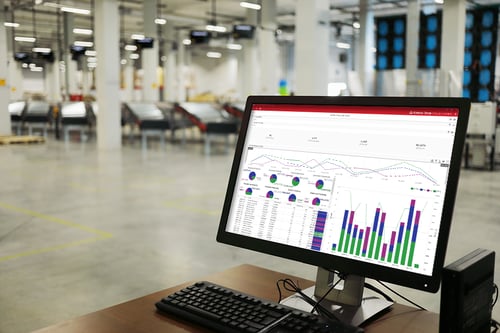 Your customers care about one thing above all else: getting their orders when promised. An on-time delivery dashboard tracks this critical metric and gives you early warning when jobs are at risk of missing their ship dates.
What to track:
- On-time delivery percentage (current month/quarter/year)
- Jobs at risk of late delivery
- Ship dates for orders coming due this week
- Customer-specific delivery performance
- Root causes for late deliveries
Global Shop Solutions Shop Management software connects your delivery dashboard directly to the production schedule, so you see the impact of shop floor delays on customer commitments in real time.
5. Labor Performance Dashboard
Labor is typically the largest controllable cost in a manufacturing operation. A labor performance dashboard helps you identify both your top performers and areas where additional training or support could improve productivity.
What to track:
- Efficiency by employee, shift, and department
- Direct vs. indirect labor hours
- Setup time vs. run time ratios
- Overtime hours and trends
- Labor utilization rates
The key is using this data constructively – celebrating wins and coaching where needed – rather than creating a punitive atmosphere that drives your best people away.
6. Quality Control Dashboard
Quality problems caught on the shop floor cost far less to fix than those discovered by customers. A quality dashboard tracks first-pass yield, scrap rates and rework to help you maintain standards and identify process issues early.
What to track:
- First-pass yield by product, line or workcenter
- Scrap rates and associated costs
- Rework hours and percentage
- Defect types (Pareto analysis)
- Customer returns and complaints
When quality metrics trend downward, the dashboard helps you pinpoint whether the issue is related to a specific machine, material lot, operator or process step.
7. Machine Utilization Dashboard
Do you know how much of the time your expensive equipment is actually producing parts? A machine utilization dashboard shows the gap between your theoretical capacity and what you're actually getting – and helps you close it.
What to track:
- Runtime vs. available time by machine
- Idle time reasons and duration
- Setup frequency and average setup time
- Planned vs. unplanned maintenance time
- Capacity utilization percentage
Many manufacturers discover their most expensive CNC machines run at only 50-60% utilization once they start measuring. Even small improvements here translate directly to increased throughput without adding equipment.
8. Master Schedule Dashboard
The master schedule dashboard gives you a single view of everything happening across your shop. It's the command center that helps you coordinate resources and keep jobs moving through production.
What to track:
- All open work orders and their status
- Jobs scheduled for release today and this week
- Behind-schedule analysis with recovery options
- Workcenter load and capacity
- Material availability for upcoming jobs
Global Shop Solutions' Master Schedule Dashboard lets plant managers print work orders, release jobs, put orders on hold, issue material and close completed jobs – all from one screen.
9. Inventory Status Dashboard
Running out of critical materials stops production cold. An inventory dashboard monitors stock levels and alerts you before shortages occur, while also highlighting excess inventory tying up cash.
What to track:
- Current stock levels vs. reorder points
- Items below safety stock
- Incoming purchase orders and expected dates
- Excess and obsolete inventory
- Inventory turns by category
The best inventory dashboards integrate with purchasing to show not just what's on hand, but what's on order and when it's expected to arrive.
10. Multi-Site Operations Dashboard
If you oversee multiple facilities, you need a way to compare performance across locations without logging into separate systems or waiting for weekly reports from each plant manager.
What to track:
- Key metrics comparison across facilities
- Production volume by site
- On-time delivery by location
- Quality performance benchmarking
- Resource sharing opportunities
Global Shop Solutions supports multi-plant scheduling and creates operational alignment across sites, making it easier to balance workload and share best practices between facilities.
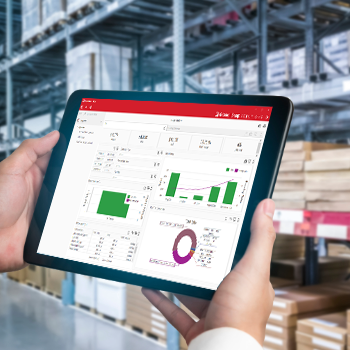 How to Get Started with Shop Floor Dashboards
You don't have to implement all 10 dashboards at once. Start with the metrics that address your biggest pain points:
- Struggling with late deliveries? Start with the On-Time Delivery and Master Schedule dashboards.
- Fighting constant machine breakdowns? Prioritize Downtime Tracking and OEE dashboards.
- Concerned about profitability? Begin with Labor Performance and WIP dashboards.
The key is making sure your dashboards connect to live data from your shop floor. Global Shop Solutions' ERP software for manufacturing includes built-in dashboard capabilities that pull real-time data directly from shop floor data collection, giving you accurate information without manual data entry.
What Makes an Effective Dashboard
Not all dashboards are created equal. The ones that actually get used and drive improvement share a few characteristics:
Visual clarity: You should understand what's happening within seconds of looking at the screen. Color-coding (green/yellow/red) helps you quickly identify areas needing attention.
Actionable data: Good dashboards don't just show numbers; they help you decide what to do. Drill-down capability lets you move from high-level metrics to root causes.
Real-time updates: Stale data leads to bad decisions. Your dashboards should refresh frequently enough to catch developing problems.
Customization: Every plant is different. The ability to tailor dashboards to your specific operations, with Dashboard Designer, for example, means you see exactly what matters to your business.
Frequently Asked Questions
What is the difference between OEE and machine utilization?
OEE measures how effectively equipment produces quality parts during scheduled production time, factoring in availability, performance and quality. Machine utilization simply measures running time vs. available time, regardless of speed or quality. OEE gives you a more complete picture of true equipment effectiveness.
How often should shop floor dashboards update?
For most manufacturing operations, dashboard updates every 1-5 minutes provide the right balance between real-time awareness and system performance. Critical metrics like machine status may update more frequently, while summary data like OEE trends can refresh less often.
Can small manufacturers benefit from real-time dashboards?
Absolutely. Small and mid-sized manufacturers often see even greater benefits because they have less margin for error. When you're running lean, catching a developing problem 30 minutes earlier can be the difference between meeting a ship date and disappointing a customer.
What's a good OEE score for a typical manufacturing plant?
An OEE score of 85% is considered world-class, while most plants operate between 40-60%. The specific target depends on your industry and process type. More important than hitting a specific number is making consistent improvements over time.
How do I get my team to actually use dashboards?
Start by involving team members in selecting which metrics to display. When people help choose what to track, they're more invested in improving those numbers. Also, mount large display screens on the shop floor so everyone can see performance in real time – visibility drives accountability and creates a shared sense of progress.
Take the Next Step
Real-time shop floor dashboards give plant managers the visibility they need to make faster, smarter decisions. Instead of managing by gut feel or waiting for end-of-week reports, you can see what's happening now and take action before small problems become big ones.
Ready to see how manufacturing dashboards can work in your plant? Explore Global Shop Solutions' Dashboard capabilities and discover how the right visibility can simplify your manufacturing operations.